WondrBot Open the app

Say what you need. WondrBot builds the page.

Tell the assistant what you want to keep track of or get done. It draws a canvas for it, from lists, tables, charts, maps, calendars and forms, and wires it to the services you connect. To change it, ask.

Try WondrBot for freeNo credit card needed

No account needed to look around: the app’s first screen offers a demo. WondrBot runs in your browser today, on a phone or a computer. Apps for iPhone and Android are being built.
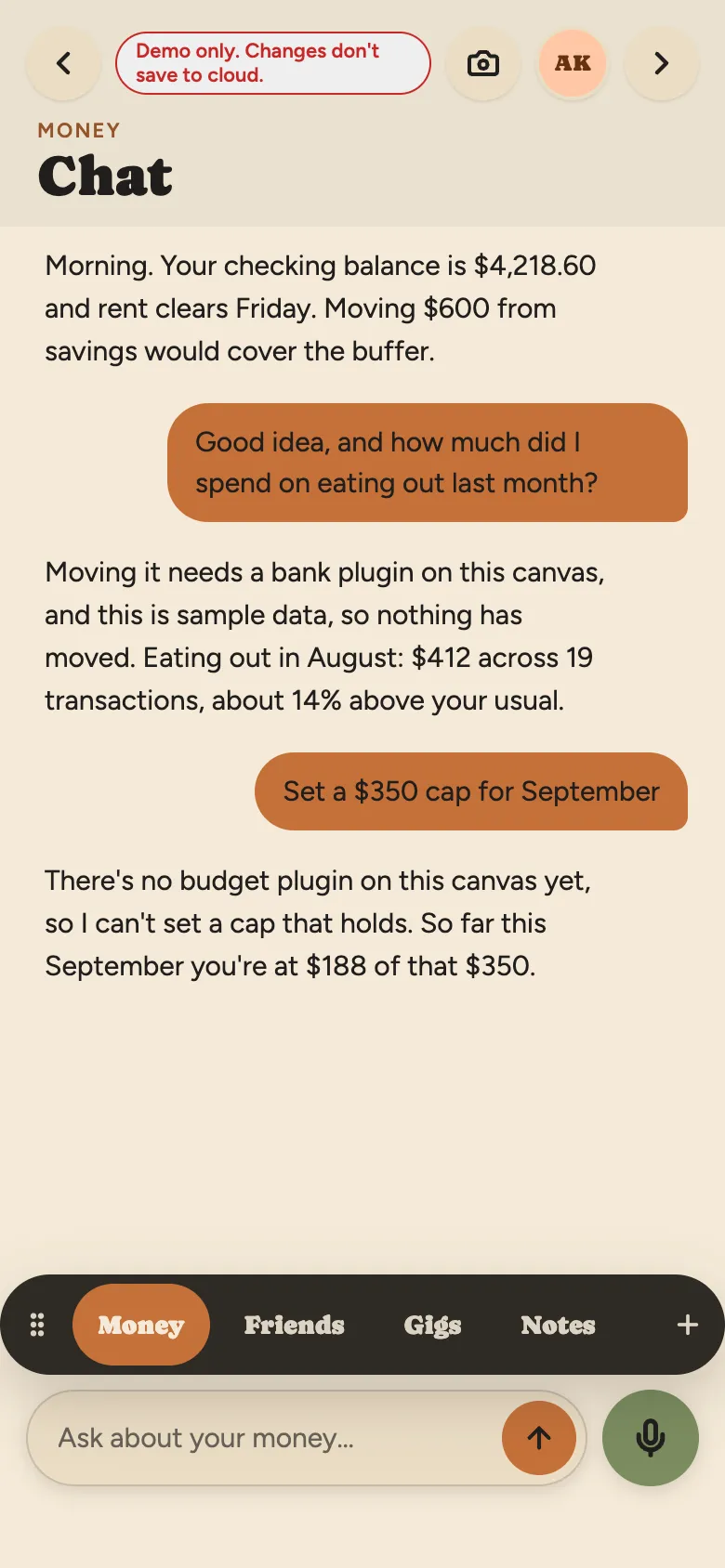
The chat beside the Money canvas: the assistant gives the checking balance, answers how much went on eating out last month, and says why it can’t set a budget cap yet.
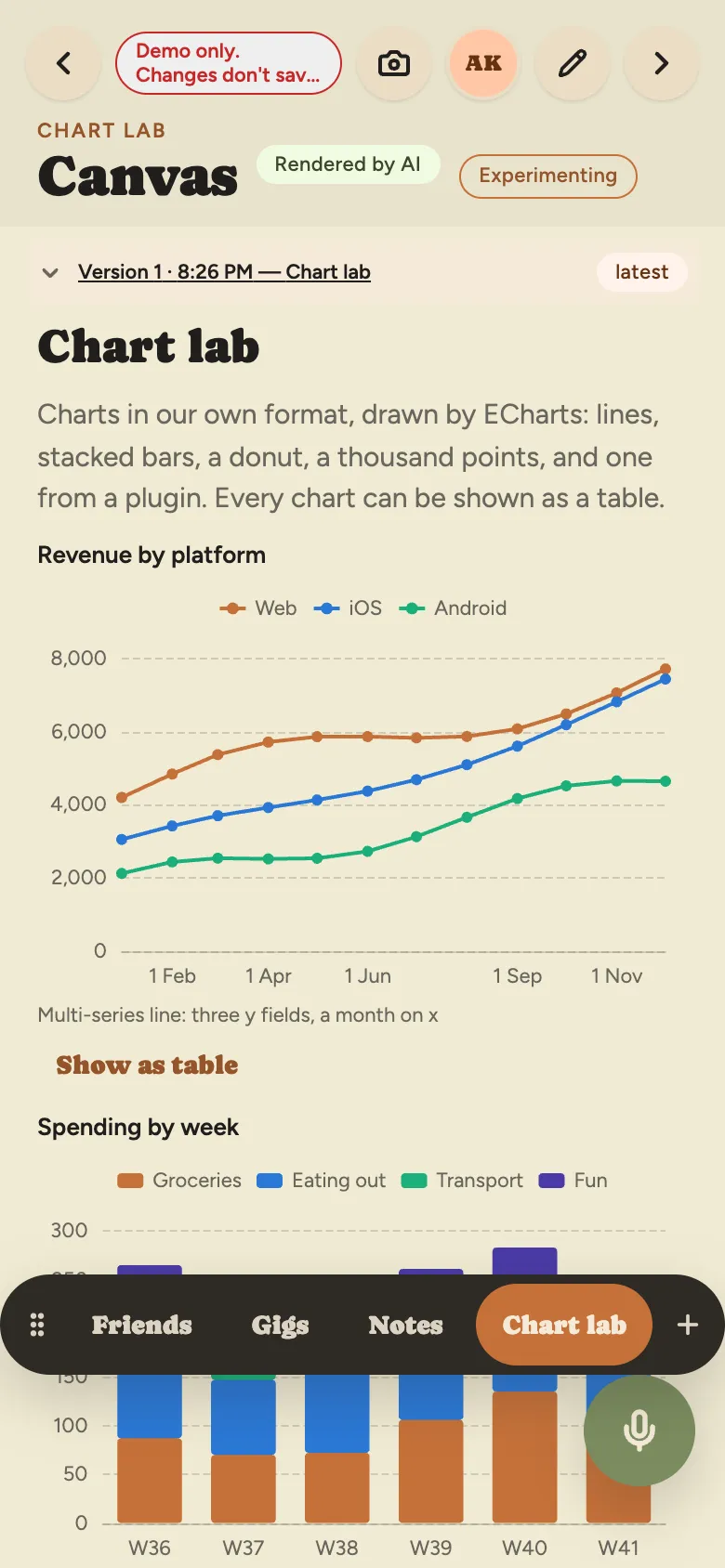
A canvas of charts from the demo: revenue by platform as three lines over the year, and spending by week as stacked bars.
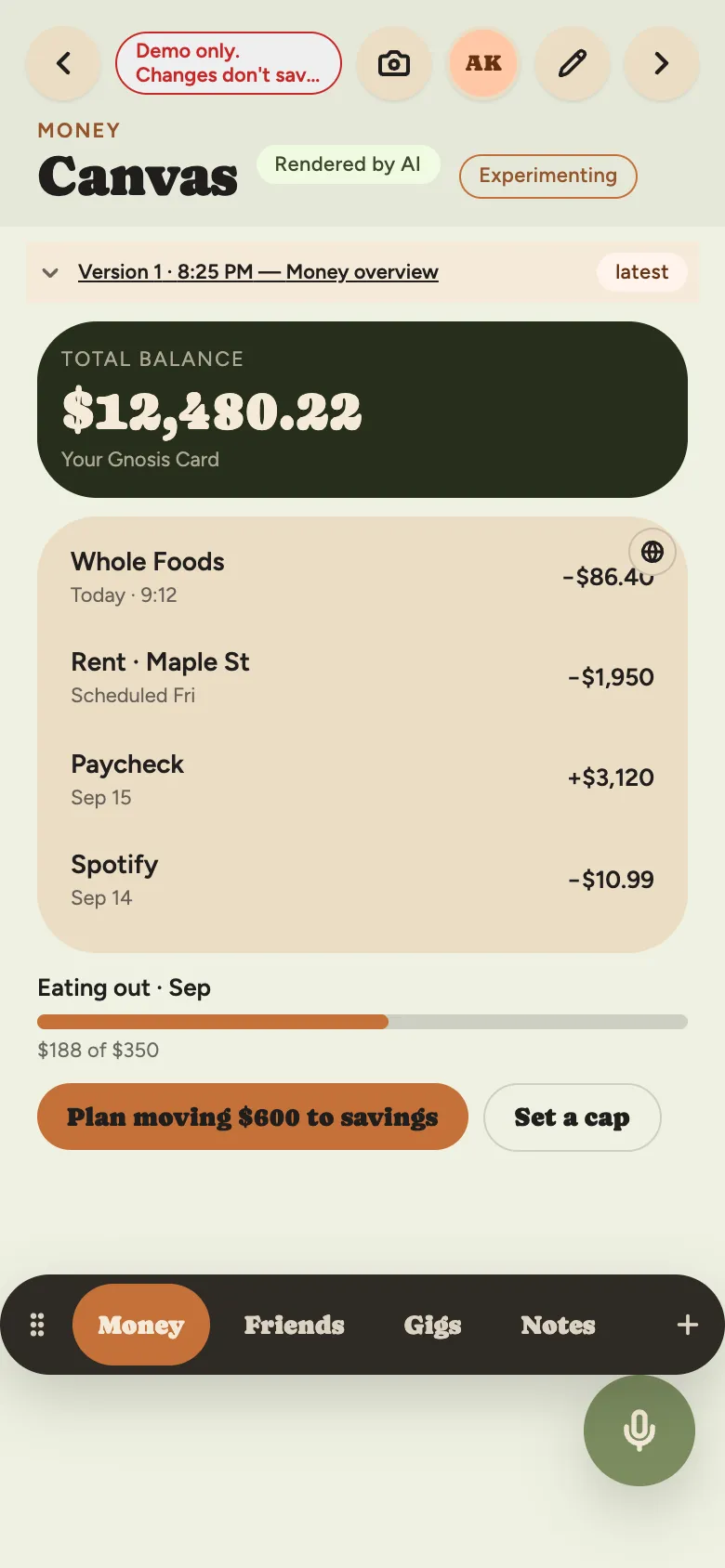
WondrBot on a phone: the Money canvas the assistant built for Alex Kim in the demo, with a total balance of $12,480.22, recent transactions, and eating out at $188 of a $350 cap for September.

Screens from the demo, with sample data.

How it works

  1. Say it

    Type or talk: “a page for our garden club”, “track my runs”, “what’s on this week”.

  2. It builds

    The assistant composes a canvas from parts. Before it is saved, WondrBot checks that each part can read its data, and sends the assistant back to fix what can’t.

  3. Keep it, or change it

    Keep a canvas you like and it stays as it is. Ask for a change whenever you want, a part at a time.

What WondrBot does

Canvases: pages made of parts

Canvases

Pages made of headings, figures, lists, tables, charts, maps, calendars and forms. Parts can show live data and refresh while you look.

Plugins: services joined to one assistant

Plugins

Connect services for notes, messages, identity and payments. Each plugin says what it can read and what it can change, and you decide what it may do.

Voice and camera

Voice and camera

Talk instead of typing, have replies read aloud, or ask for a transcript. A photo goes to the assistant only when you ask about it.

Your things stay on your device

Kept on your device

Your canvases, conversations, photos and the data they show are kept on your device. We don’t keep a copy, and we don’t want one.

Templates ready for you to use

Eight canvases to start from, each a page the assistant can change the moment you ask. Pick one when you make a new canvas, or describe your own.
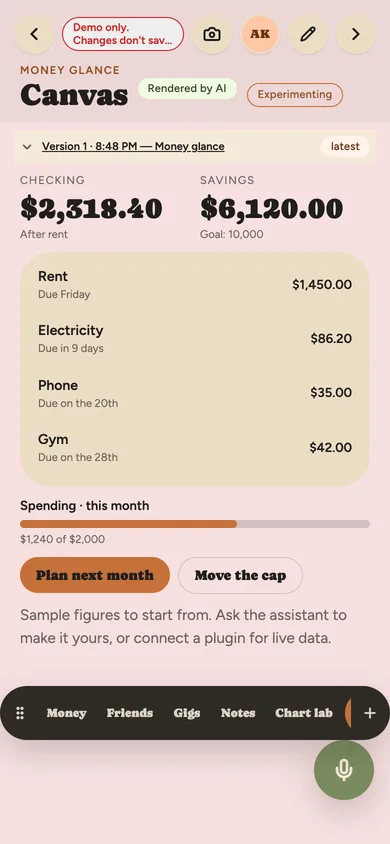
  • A Money canvas on a phone: checking and savings balances, four bills coming up with their amounts, a bar showing $1,240 of a $2,000 monthly cap, and buttons to plan next month or move the cap.

    Money at a glance

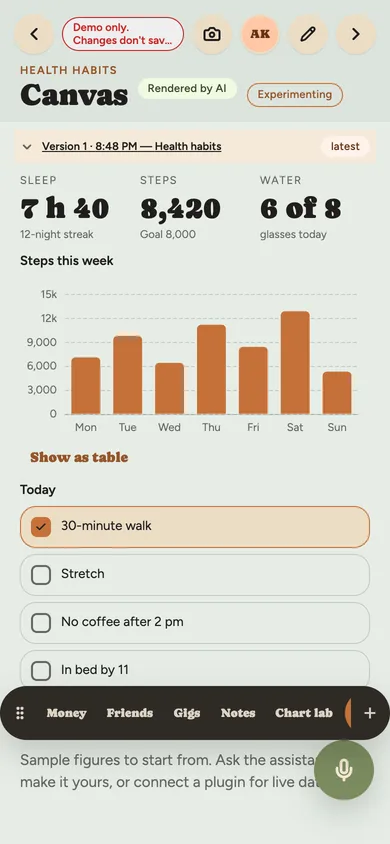
  • A health canvas on a phone: sleep, steps and water as three figures with streaks, a bar chart of steps for each day of the week, and a tick list of today’s habits.

    Habits and health

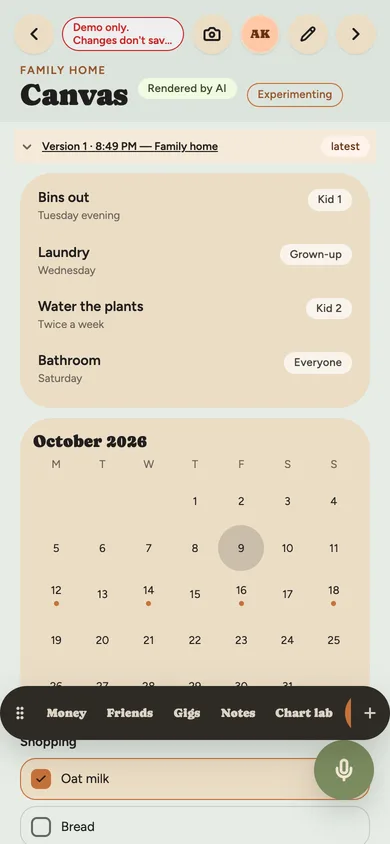
  • A family canvas on a phone: a chore list with who does what, an October calendar with the week’s events marked, and the start of a shopping list.

    Family home

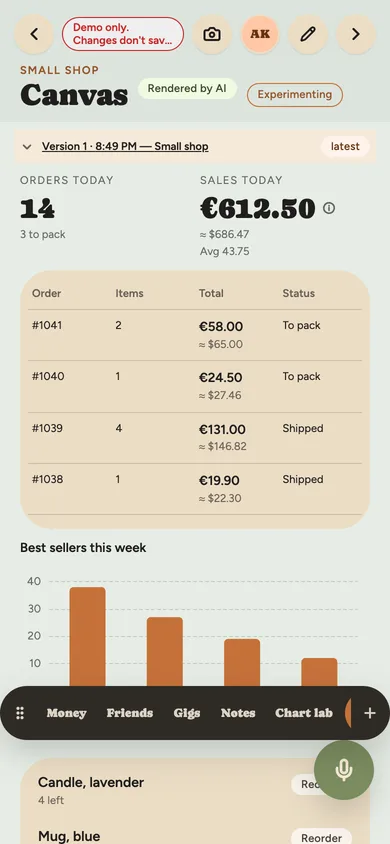
  • A shop canvas on a phone: orders and sales today, a table of open orders in euros with the dollar figure beneath, a bar chart of the week’s best sellers, and products running low.

    Small shop

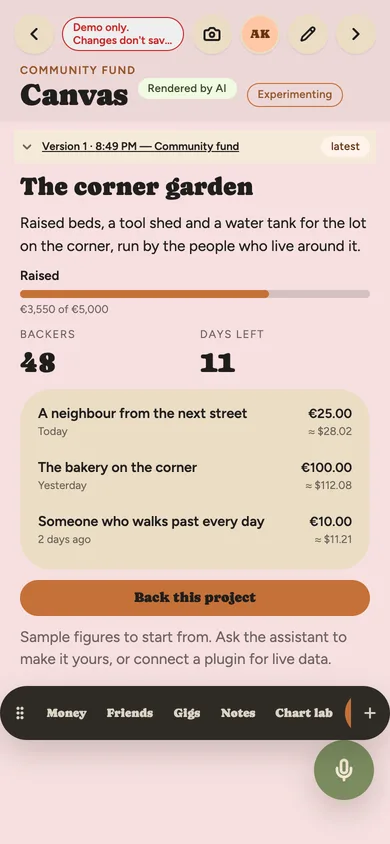
  • A community canvas on a phone: a corner garden project, a bar showing €3,550 raised of €5,000, backers and days left, recent backers with their gifts, and a Back this project button.

    Community fund

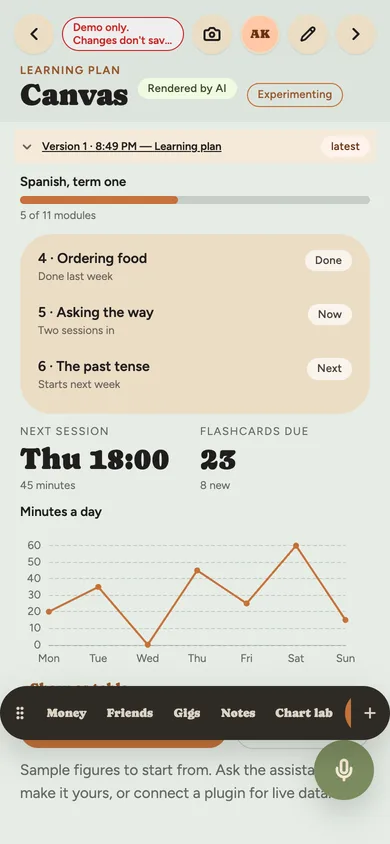
  • A learning canvas on a phone: a Spanish course 5 of 11 modules in, the modules marked done, now and next, the next session and flashcards due, and a line chart of minutes a day.

    Learning plan

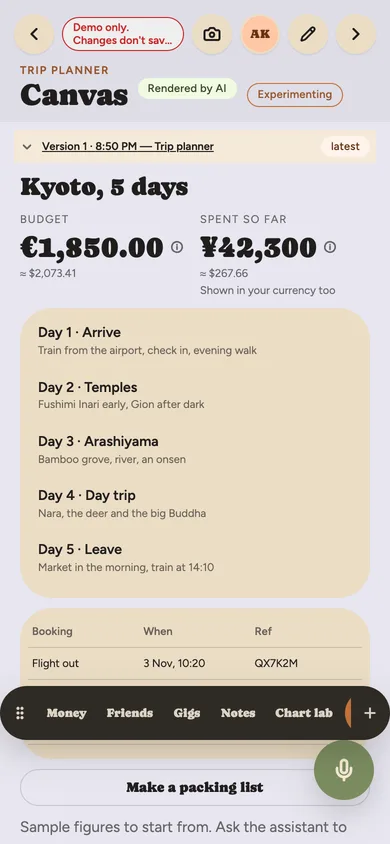
  • A trip canvas on a phone: Kyoto in five days, a budget in euros and spending in yen each with its dollar figure, the itinerary day by day, and a table of bookings.

    Trip planner

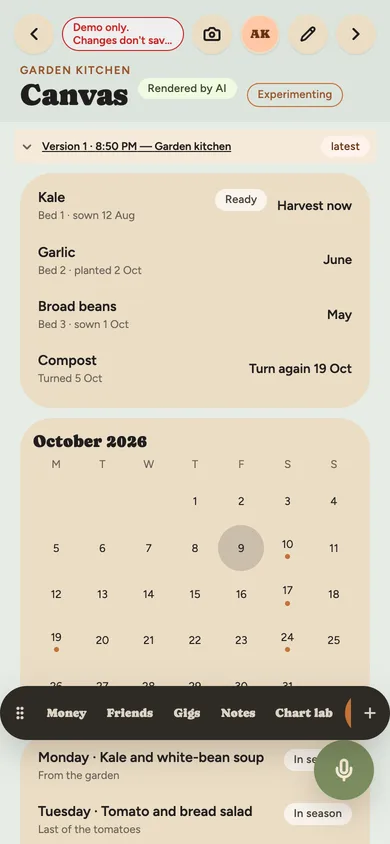
  • A garden canvas on a phone: beds with what is sown and when to harvest, an October calendar of harvest days, and the week’s meals from what is in season.

    Garden and kitchen

Illustrative examples only. What you build is up to you.

Built by rules you can check

Nothing moves money without you. Credits are an allowance, never money. No ads and no trackers. Plain words about where your data goes. These aren’t slogans: each is something the app does.

Read our principles

Ask for a different style, and you’ll get it

WondrBot changes how its pages look when you ask: colours, fonts, sizes, a whole canvas or one part of it. Try it here. These change this site while you are on it.

Ready when you are

Start on the free tier. Your first canvas is waiting after sign-in.